Overlay kit
1 / 3
Overlay kit
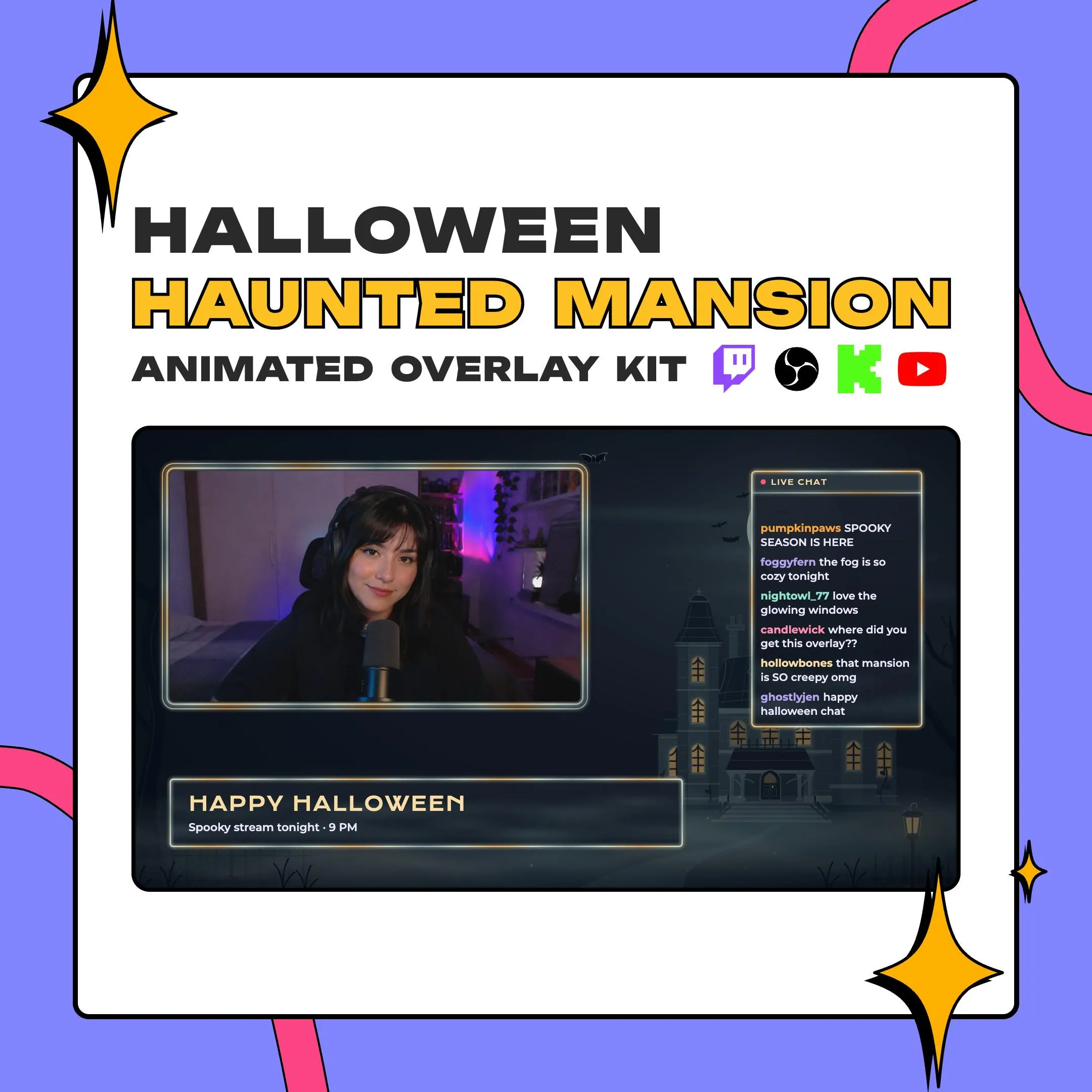
A haunted mansion overlay that keeps your stream outside the old house: fog rolls across the yard while the windows of a Victorian mansion glow amber behind your webcam. Chat, frames, text boxes and camera masks all match the scene.
$12.99 USD
Instant digital download
the details
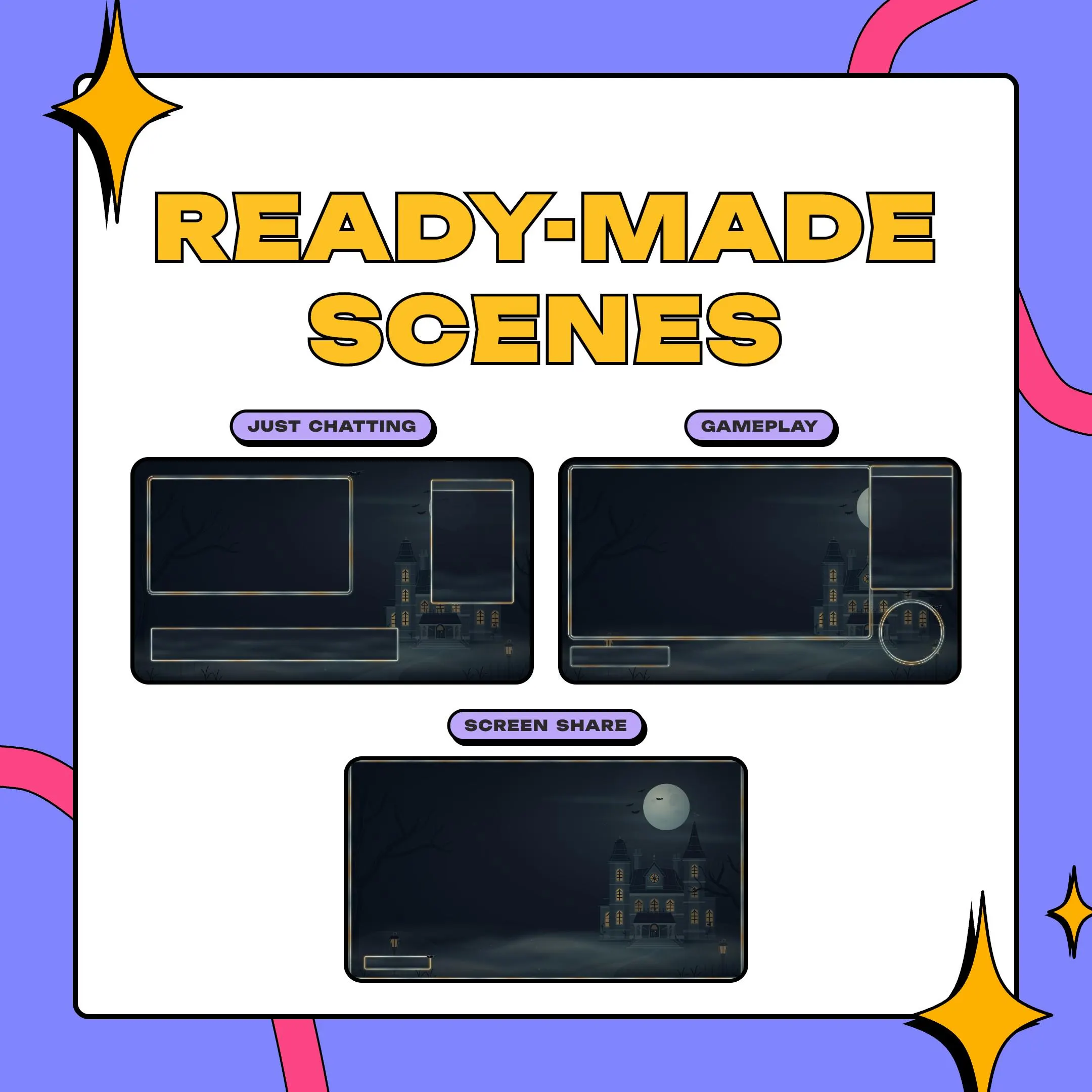
This kit is for nights when the scare waits outside. The background looks across a foggy yard at a Victorian house with amber light in its windows, and the fog keeps drifting for as long as you stream. In the sample layouts, the webcam frame and the chat panel sit on either side of the screen, leaving the mansion in view between them, like a house you are about to walk into.
As a haunted mansion overlay for horror game nights, it stays mostly dark. The only warm light comes from the windows, so the scene sets a mood without pulling attention from your game. Three example layouts, for Just Chatting, gameplay and screen share, show how the webcam frames, chat box and lower third fit together on a 1920×1080 canvas.
Every piece also comes without its Halloween ornaments, which helps when you want a calmer chat box next to a busy game. The seven camera masks handle round, square and vertical cams, and the files load in OBS Studio, Streamlabs or any app that plays transparent .webm. Think of it as a full stream package for a slow, foggy October.
what you get
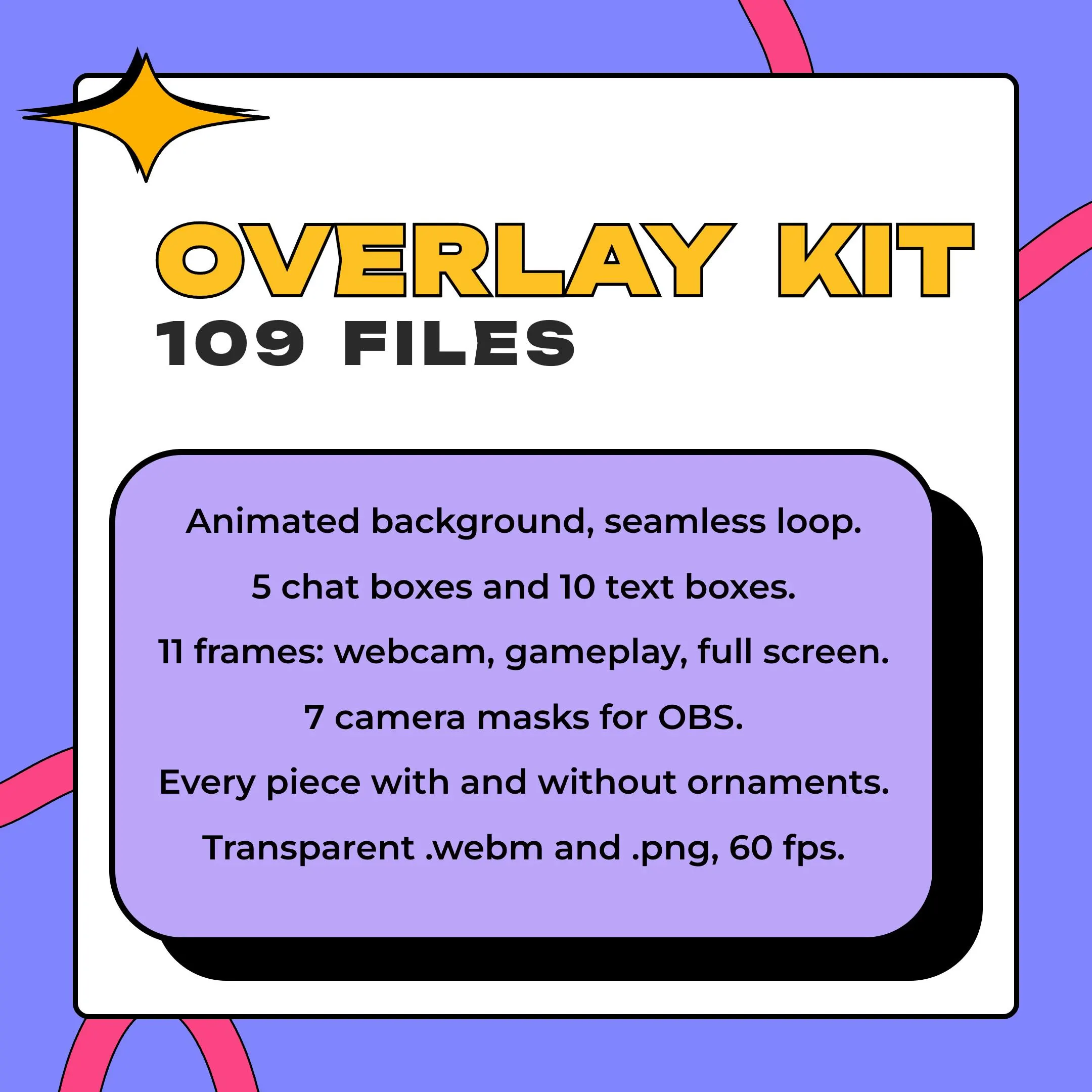
The 1920×1080 background loops at 60 fps, so fog drifts past the mansion all stream long with no visible restart.
Warm light comes only from the mansion's windows; the rest of the scene stays dark and foggy behind your frames.
Eight webcam frames cover 16:9, 4:3, square, vertical and round cams, next to a gameplay frame and two full-screen frames.
A lower third, a title, labels, a card, a list, a square box and three circles for your schedule, socials or goals.
Every piece comes twice, with the Halloween ornaments and without, so a foggy chat box overlay can stay low-key.
The PDF holds your download link and the spot for every frame, so you are not nudging pieces pixel by pixel.
setup
Open the PDF from your Etsy download, follow its link to the zip (about 1.4 GB) and unzip it.
In OBS Studio, click + under Sources, add a Media Source, select the mansion background .webm and check Loop.
Stack your camera, the webcam frame and the chat box on top, matching the positions listed in the guide.
Need a round or vertical cam? Add an Image Mask/Blend filter to your camera source and choose one of the kit's masks.
On Streamlabs, add the same .webm files as media sources and place them the same way.
questions
Yes. You run it inside OBS Studio or Streamlabs, and whatever platform you stream to, Twitch, YouTube or Kick, receives the scene with the overlay already in it.
They come as transparent .webm video at 60 fps, with .png stills alongside, so you can run each piece in motion or as a still image.
Not inside this kit. The shop sells a Halloween Cemetery Gate stinger on its own listing, made to go with this design for your scene changes.
$12.99 USD on Etsy