Video transition
1 / 3
Video transition
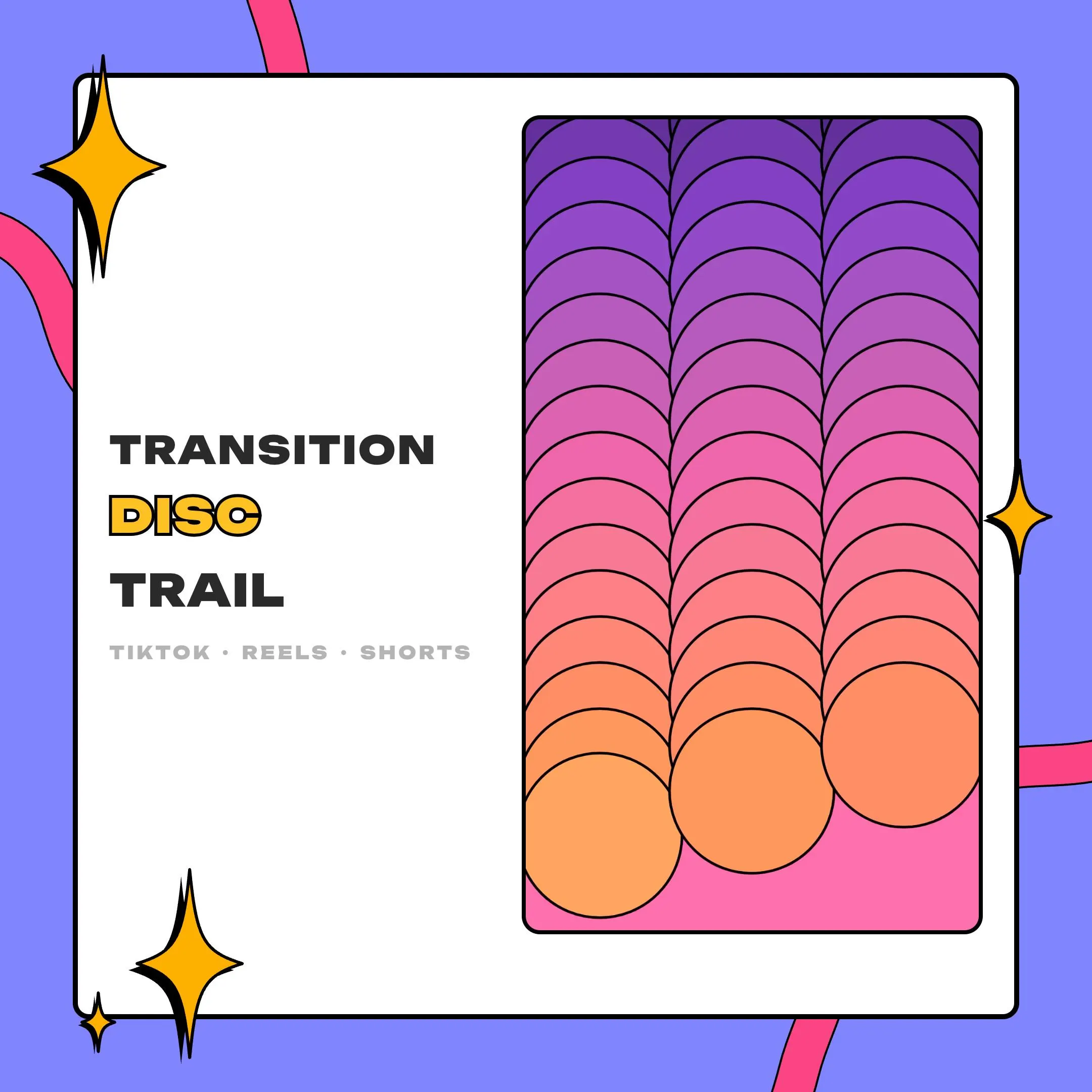
Disc Trail is a CapCut vertical transition pack for TikTok, Reels and Shorts: three columns of outlined discs step down your 9:16 frame, stack up until the screen is full and clear away on the next clip. Four palettes, all with transparency.
$5.00 USD
Instant digital download
the details
Disc Trail borrows the snap of hand-drawn animation. Three columns of outlined discs fall in steps from the top edge, and every position stays behind as a copy, so the stacks grow until the 9:16 frame is fully covered at the 1.5 second mark. That frame is where you cut. After it, the oldest copies disappear first, the tail of each trail runs down the screen, and the next clip shows through behind it.
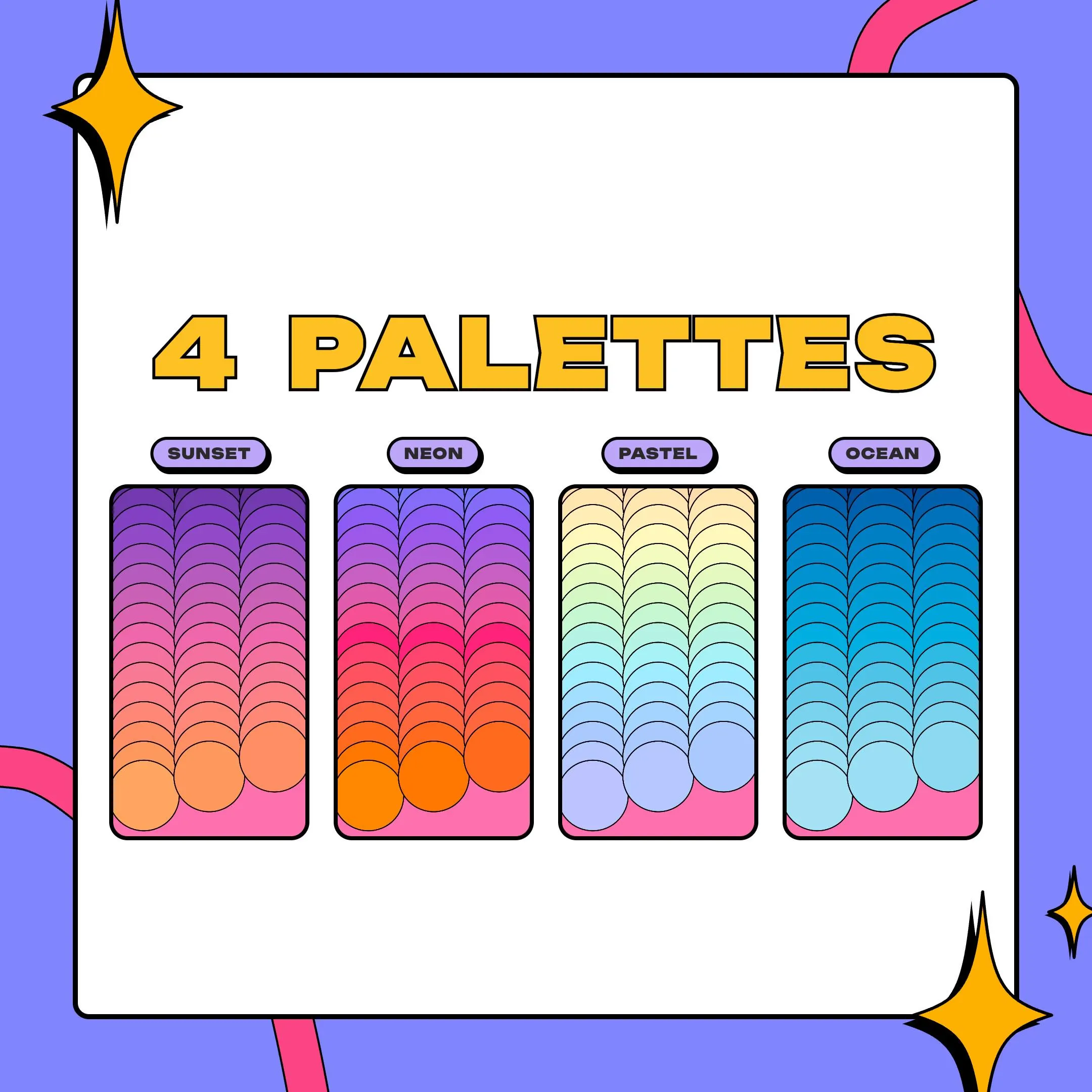
Color runs down every trail through the tones of its palette, and a crisp black outline keeps each disc sharp against busy footage. Sunset runs deep purple, pink and gold. Neon mixes blue, violet, hot pink and orange. Pastel spreads eight soft rainbow tones, and Ocean fades from navy to ice blue. With four palettes in the zip, you can match a channel color, a recurring series or the mood of one video.
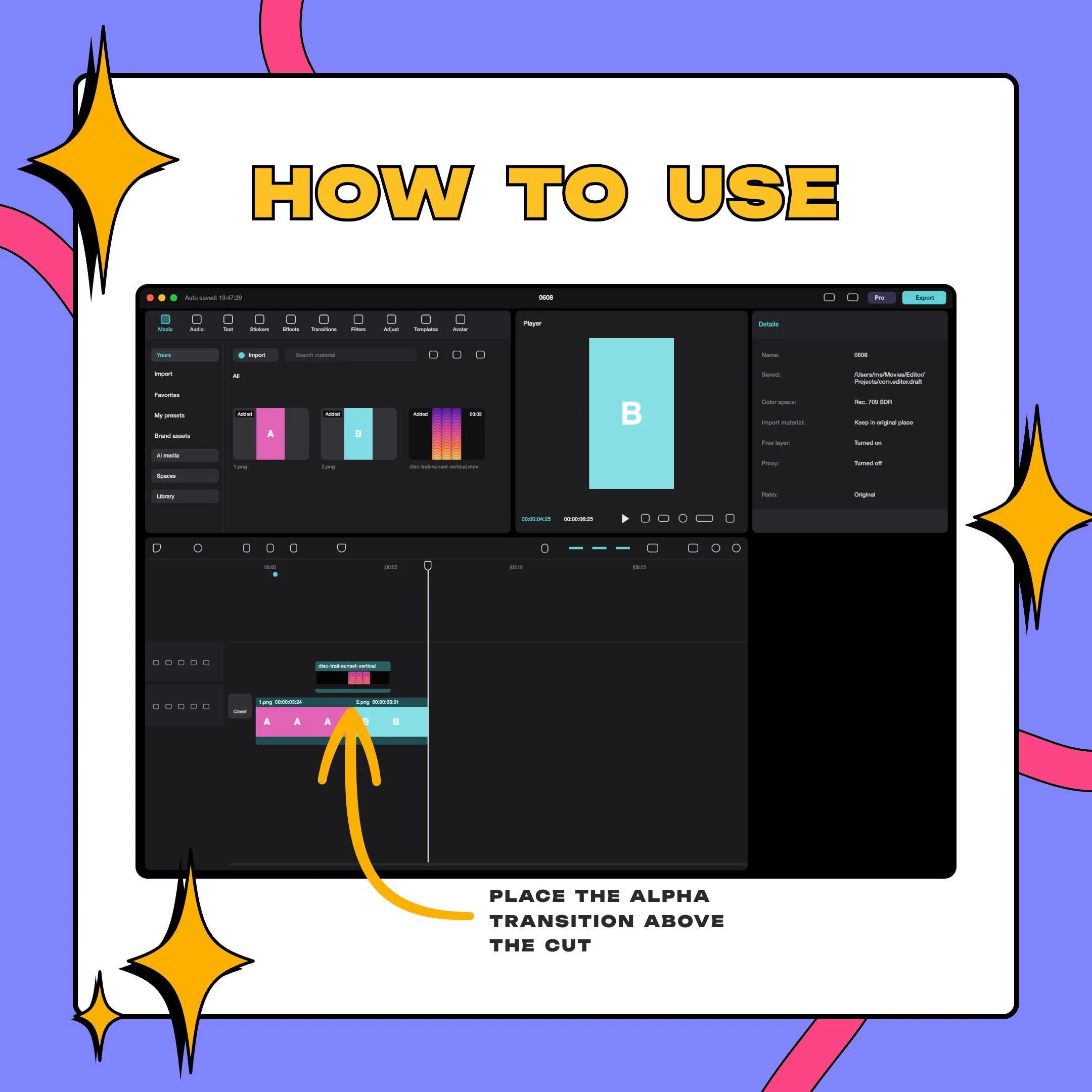
This CapCut vertical transition pack is built for short-form editing first. Put a palette's ProRes .mov on the track above your clips in CapCut and center it on the cut; DaVinci Resolve, Final Cut Pro and Premiere Pro read the same file. For vertical live streams, the small .webm files load as an OBS stinger on a vertical canvas with a 1500 ms transition point, so the same look can follow you from a TikTok live to your edited Shorts.
what you get
Sunset, Neon, Pastel and Ocean each come as their own files, so you choose colors per video and never recolor anything.
Disc copies pile up until the 9:16 screen is fully covered at 1.5 s, which hides the jump from one clip to the next.
Discs move in held poses with a snappy beat, the way drawn animation does, rather than gliding smoothly.
ProRes 4444 .mov files of about 105 to 115 MB for editors, and VP9 .webm files of about 0.5 MB for OBS.
Both formats are transparent, so only the discs land on top of your footage and the clips stay visible around them.
1080x1920 frames at 60 fps, 3 seconds long, sized for TikTok, Reels and Shorts timelines.
setup
Open the PDF, download the zip and choose the palette that fits this video.
In CapCut, import that palette's .mov along with the clips you are editing.
Drag the transition to the track above your footage, over the cut you want to hide.
Line up its middle, the 1.5 s mark, with the cut so the discs cover the change.
Streaming on a vertical OBS canvas? Add a Stinger under Scene Transitions, load the .webm or .mov and use a Time-based transition point of 1500 ms.
questions
Use the .mov of the palette you picked. It is ProRes 4444 with alpha, so the discs sit on top of your clips. The small .webm files are meant for OBS.
Yes. On a vertical canvas in OBS Studio, add it as a Stinger transition with the .webm or .mov and set the transition point to 1500 ms.
Yes. Any editor that handles ProRes 4444 with alpha will keep the transparency, including Final Cut Pro, DaVinci Resolve and Premiere Pro.
Yes. Your own videos, streams and socials can use it, monetized too. The license excludes reselling, sharing or packaging the files into another product, and each purchase is for one creator or channel.
$5.00 USD on Etsy