Stinger transition
1 / 2
Stinger transition
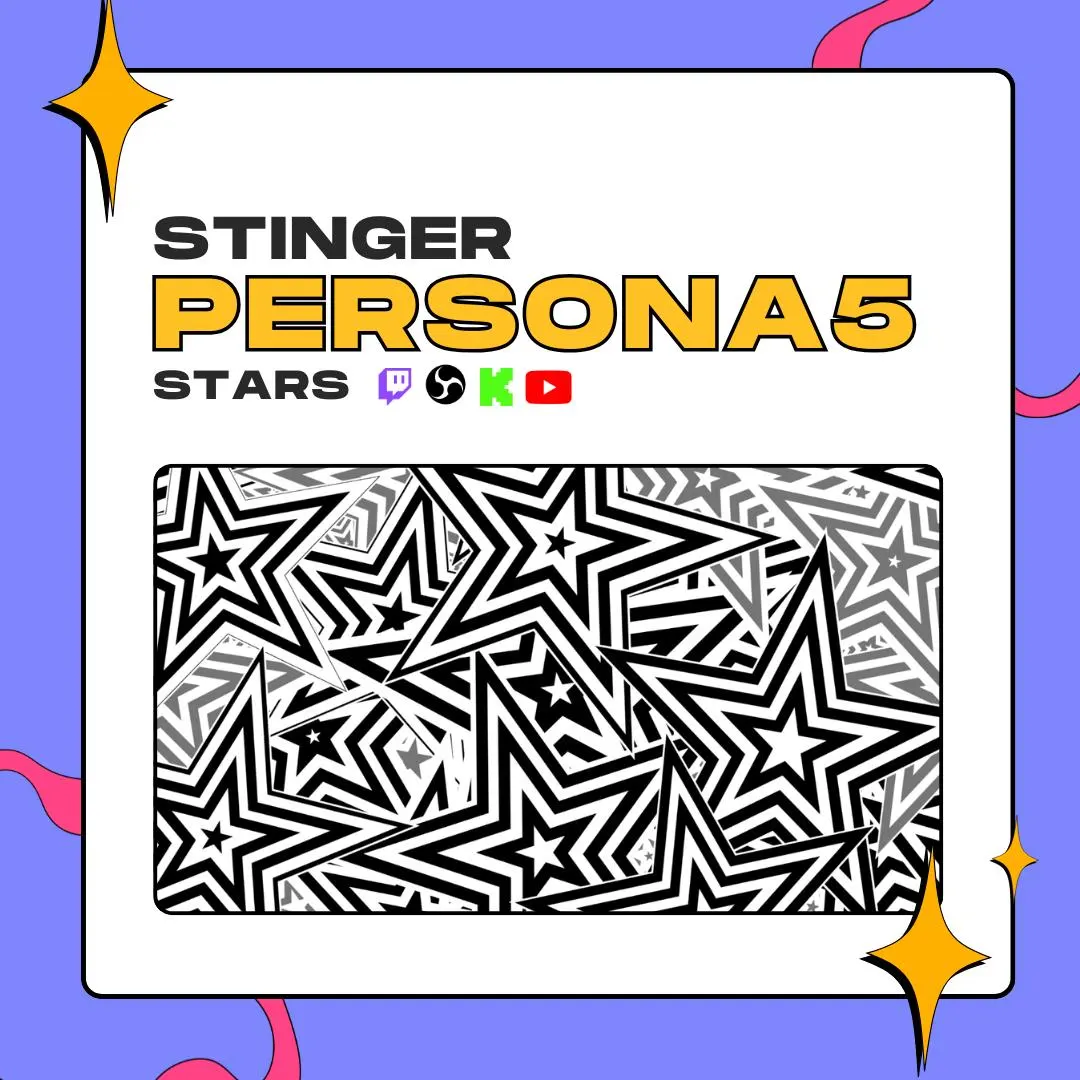
This Persona 5-style stinger transition buries your screen under black-and-white stars, cuts to the next scene at 1500 ms, then clears away. One 3-second clip, made for OBS and ready for Twitch, YouTube and Kick.
$10.00 USD
Instant digital download
the details
Stars do the heavy lifting here. Hit a scene switch and black-and-white stars with striped, nested outlines spread until they fill the whole 1920×1080 frame, so nobody sees the hard cut underneath. Then they clear and your new scene is live. The design is independent and Persona 5-style: inspired by the game, not an official asset.
As a Persona 5-style stinger transition, it suits JRPG streams in general: Persona 3, 4 and 5 playthroughs, Shin Megami Tensei runs, or any channel that likes a loud, graphic scene change between gameplay, chatting and break screens. Because the file has an alpha channel, the stars pass over your layout with no black box around them.
Setup is short. The PDF in your download links to the WEBM and MOV versions of the same animation. Load either one as an OBS stinger, set the transition point to 1500 ms, and every scene transition swaps at the frame where the stars cover everything. It works the same on Twitch, YouTube and Kick, since viewers see whatever OBS sends.
what you get
At the cut, black-and-white stars cover the entire 1920×1080 canvas, so the scene swap itself stays hidden.
The transition point is 1500 ms, halfway through the 3-second clip, which is where OBS changes the scene.
The same animation in two formats, both transparent around the stars, so either file works as your stinger.
It is an OBS stinger, so it plays on every scene switch during a Twitch, YouTube or Kick broadcast.
No color to clash with your overlay. The stars are strictly black and white, so they sit over any palette you already use.
setup
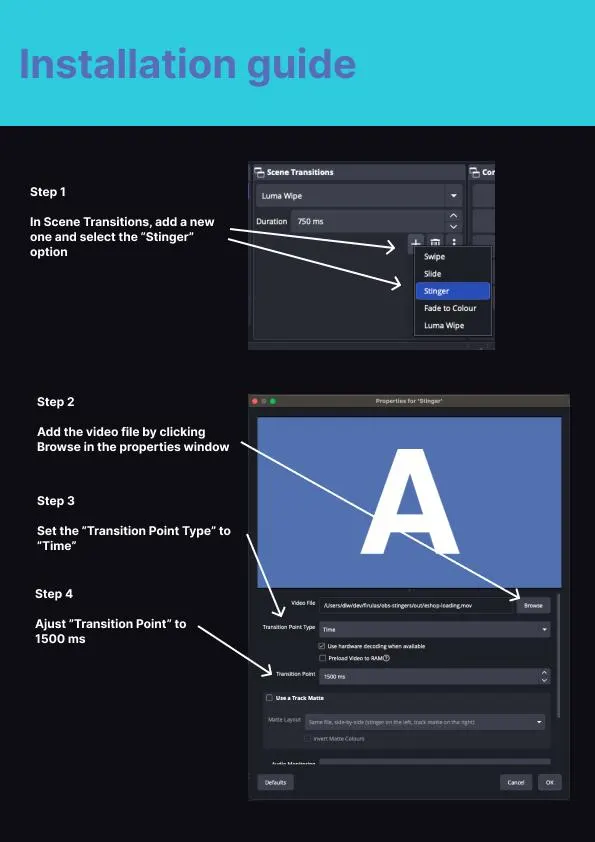
Your Etsy download holds a PDF; follow its link to save the WEBM or MOV file.
In OBS Studio, go to Scene Transitions, click the + button and choose Stinger.
In the Stinger properties window, click Browse and select the star video you saved.
Change Transition Point Type to Time and enter 1500 ms as the transition point, then press OK.
Switch between two scenes to check the timing, and keep the star stinger as your active transition.
questions
It runs inside OBS, so it appears on any platform OBS streams to. It is made for Twitch, YouTube and Kick broadcasts.
Use 1500 ms with Transition Point Type set to Time. That is the middle of the 3-second animation, when the stars fill the screen and OBS cuts to the new scene.
No. It is an independent animation in a Persona 5-inspired style. It is not affiliated with or endorsed by the game's developer or publisher.
$10.00 USD on Etsy