Stream widget
1 / 3
Stream widget
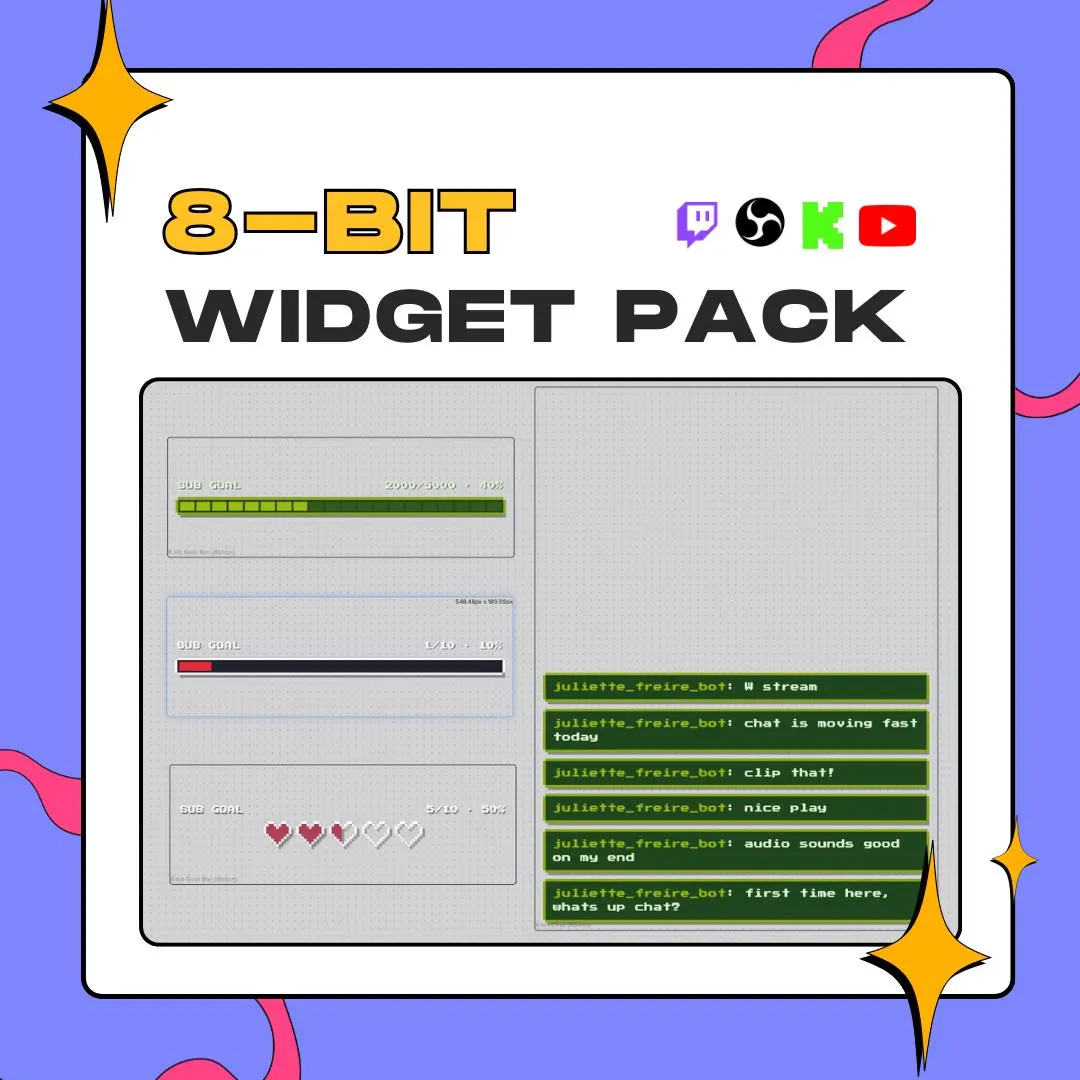
This 8-bit Twitch overlay pack puts two StreamElements widgets in one download: a pixel chat box and a goal bar for followers, subs or bits, with four retro themes that dress both of them.
$15.00 USD
Instant digital download
the details
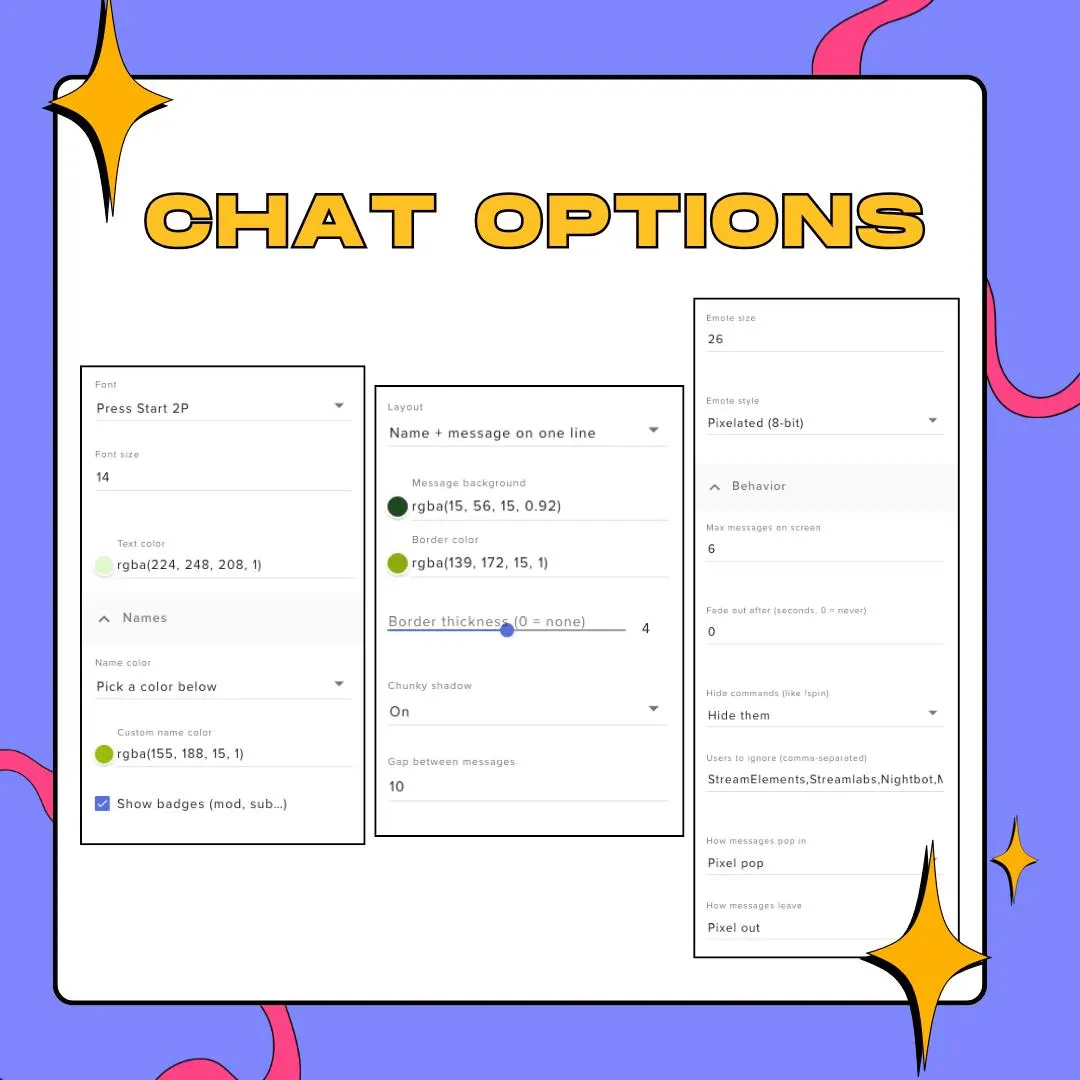
The chat box puts live messages in a pixel frame with clipped corners, a thick border and a hard drop shadow, set in Press Start 2P by default. Emotes are drawn pixelated to match, with a smooth option, and mod, sub and VIP badges sit beside names in each viewer's own color. Messages can pixel-pop in and pixel out, you cap how many stay up and when they fade, bot accounts go on an ignore list, and commands such as !spin can stay hidden.
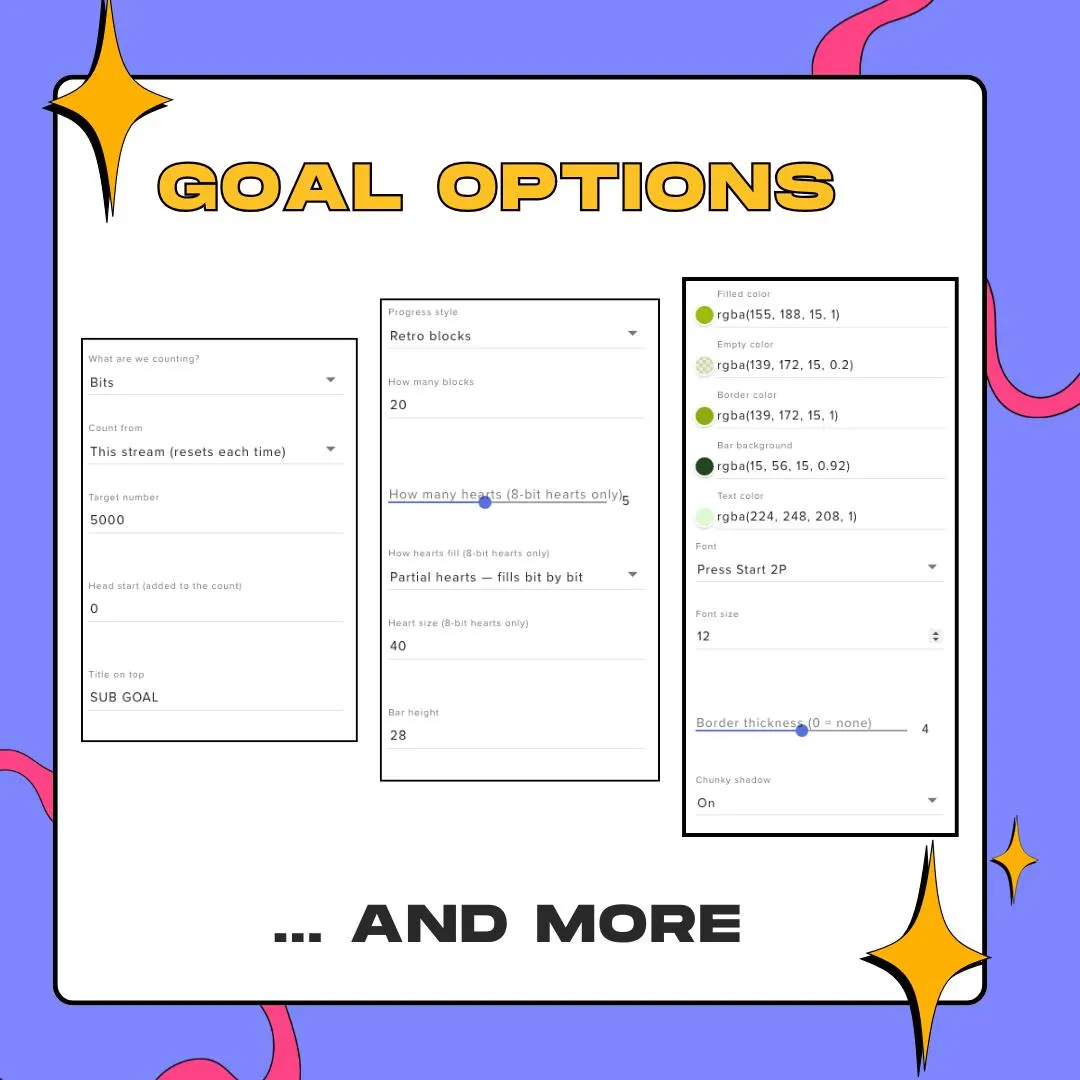
The goal bar follows one count at a time, followers, subs or bits, and draws it three ways: retro blocks in a number you choose, one smooth fill, or pixel hearts, from one to ten, that fill whole or a column at a time. Pick the target number, where the count starts, an optional head start, the title above the bar and the line shown when you reach it. A sound of your choice can play at that moment. Need a second goal? Add the widget again with another type.
Four themes cover both widgets: a monochrome green inspired by the Game Boy, an NES-style black panel with a white border and red fill, a synthwave purple with magenta and cyan, and a terminal look in matrix green. Each is one paste, and every color is its own field if you would rather build a palette. The border and hearts are drawn in code, so this 8-bit Twitch overlay stays crisp from 720p to 4K, and it also runs on YouTube Live and Facebook Gaming through StreamElements.
what you get
Show progress as retro blocks, a smooth bar or a row of pixel hearts that fill whole or bit by bit.
A sub bomb adds its real total once, so a burst of gifted subs does not double-count on your sub goal.
Pick a sound to fire when you hit the target, set its volume and test it before you go live.
Pixel pop entrances, mod and sub badges, per-viewer name colors, an ignore list for bots and hidden chat commands.
Every color in both widgets is a field, and the font picker swaps Press Start 2P for any other Google Font.
setup
Fastest route: open the PDF guide and click its link to add the widgets to StreamElements.
Manual route: in StreamElements, go to My Overlays and open an overlay or make a new one.
Add a Custom Widget, open its editor and paste each file into the HTML, CSS, JS and Fields tabs.
Drop a theme into the Data tab, leave the editor, and tune colors, font, goal target and title from the widget's settings.
Copy the overlay link into OBS Studio, Streamlabs Desktop or XSplit, each time as a browser source.
questions
Yes. Add the goal widget a second time and give it a different goal type. Both bars can live in the same overlay, each with its own target and title.
Yes. The widgets run wherever StreamElements does, which the listing names as Twitch, YouTube Live and Facebook Gaming, inside OBS Studio, Streamlabs Desktop or XSplit.
No. Press Start 2P loads from Google Fonts on its own, and the font field takes any other Google Font if you want a different look.
No. They are a handful of small text files with no video or image assets, and the font is the only thing they fetch from outside.
$15.00 USD on Etsy