Stream widget
1 / 2
Stream widget
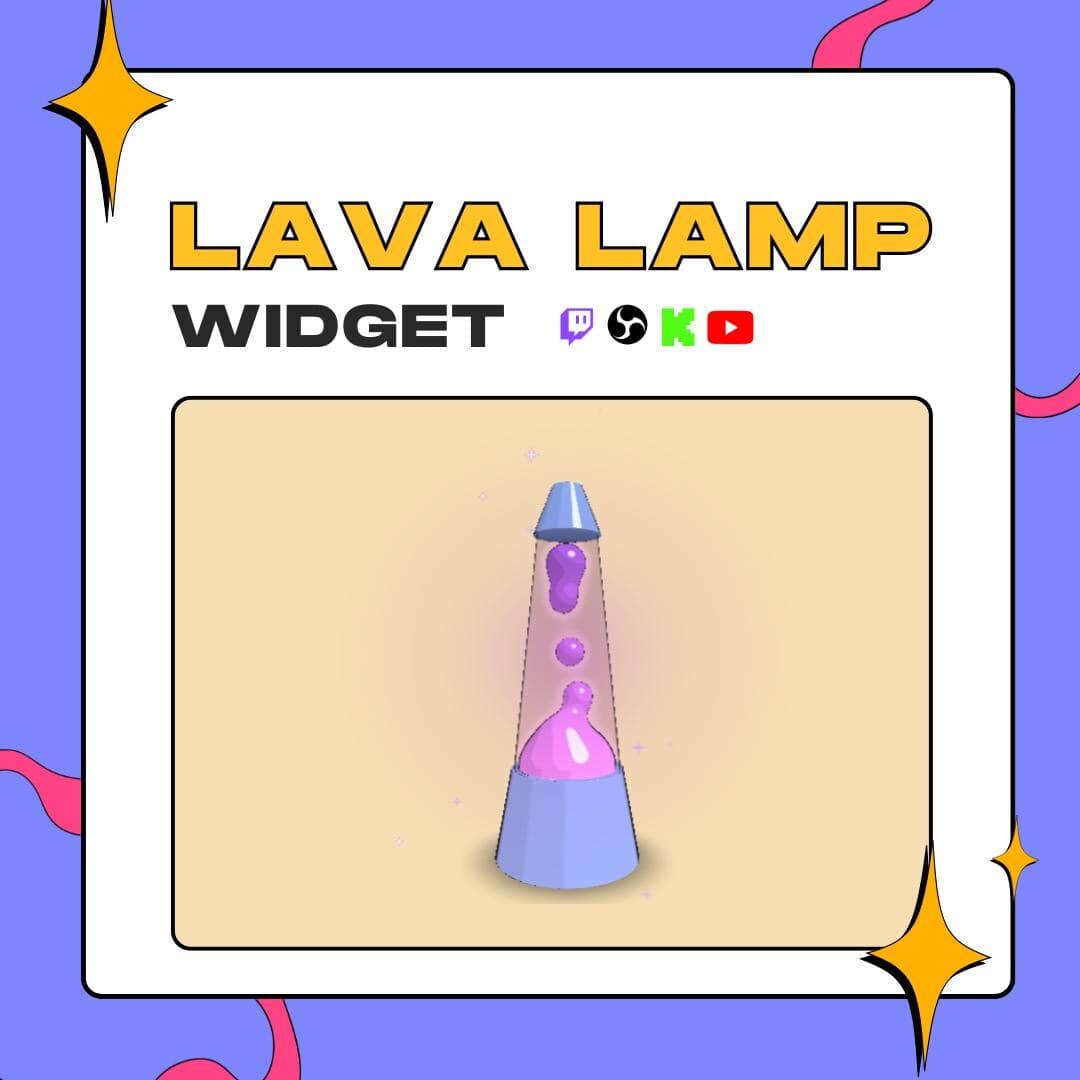
This lava lamp Twitch overlay puts a glowing retro lamp in your scene, its blobs rising, merging and sinking on a loop. Viewers can switch it on and off with a chat command or a Channel Points reward, and you decide who is allowed to.
$10.00 USD
Instant digital download
the details
A lava lamp is the calmest object in any room, and this lava lamp Twitch overlay gives your stream one. Park it in a corner of your layout while colored blobs drift up, stick together and pull apart inside the glass. Choose one of four silhouettes (conical, cylindrical, bulb or diamond) and leave the background transparent, so only the lamp shows over your scene.
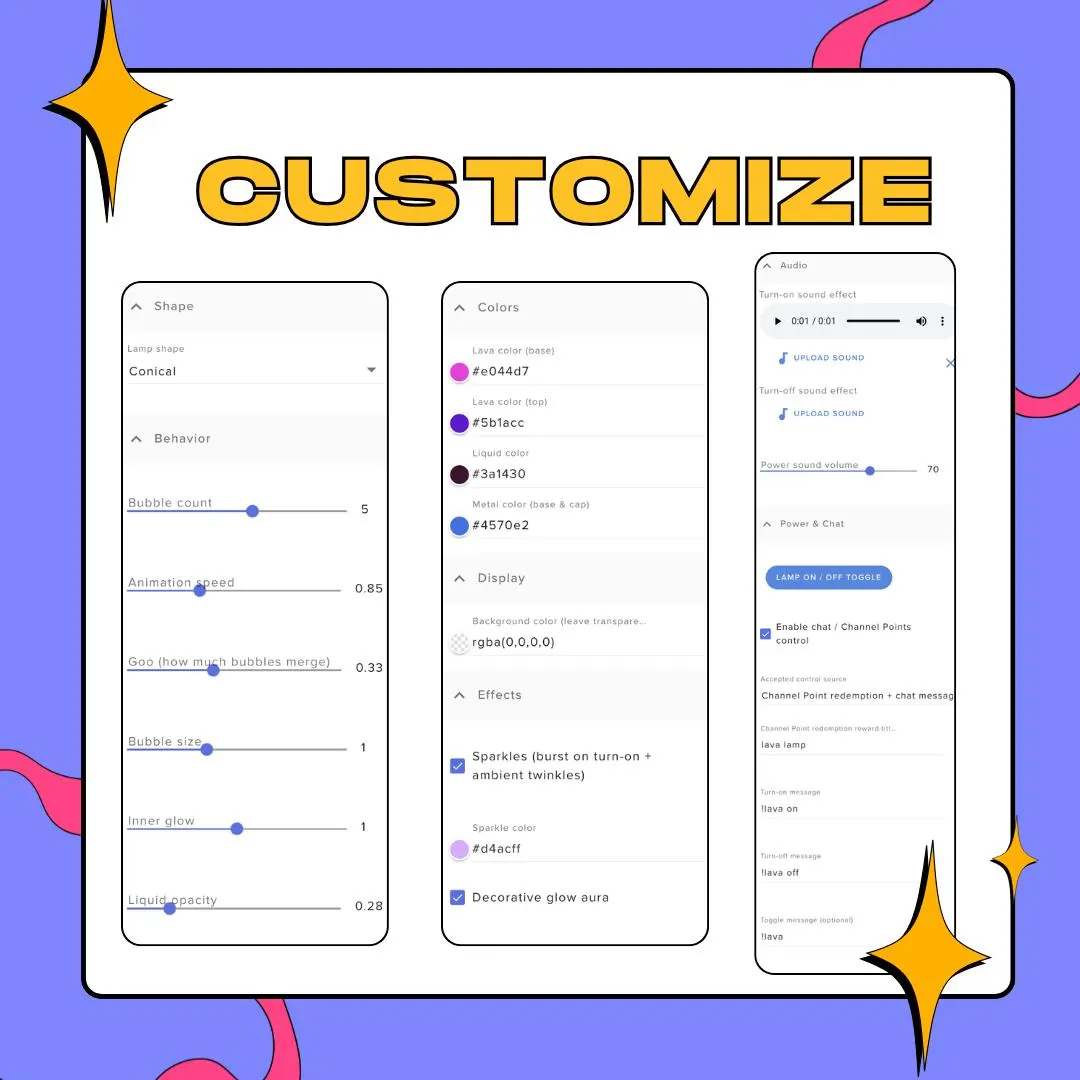
Every part of the effect has a slider: how many bubbles, how fast they move, how much they merge (the goo setting), their size, the inner glow and the liquid's opacity. Colors split the same way, with separate lava colors for the top and bottom, plus the liquid, the metal base and cap, the sparkles and the background. An optional glow aura around the lamp and sparkles that burst when it switches on add a bit of ceremony.
The interactive side is optional. Flip the lamp with the StreamElements button, let chat do it with the !lava command (it has on and off variants), or tie it to a Twitch Channel Points reward, and limit control to you, mods, VIPs, subscribers or everyone. Fields for a turn-on and a turn-off sound give each switch an audio cue. It suits cozy and lo-fi layouts, retro themes, just chatting and intermission scenes.
what you get
Choose a conical, cylindrical, bulb or diamond lamp, then recolor the metal base and cap to match your scene.
Sliders for bubble count, speed, size and how much the blobs merge, plus inner glow and liquid opacity.
Viewers can switch the lamp with a chat command or a Twitch Channel Points reward, or you keep the switch to yourself.
Decide who gets control: only you, moderators, VIPs, subscribers or the whole chat.
An optional glow aura around the lamp, and sparkles that burst when it turns on, then twinkle while it runs.
Separate fields for a turn-on and a turn-off sound effect, sharing one volume control.
setup
Open the guide in your download and follow its link to import the widget into StreamElements.
Or create a Custom Widget in an overlay and paste the HTML, CSS, JS and fields files into their tabs.
Pick the lamp shape, the colors and the bubble behavior, and keep the background transparent.
Enable chat or Channel Points control if you want it, and choose who has permission.
Load the overlay URL in OBS through a browser source and size the lamp in your layout.
questions
Yes, if you enable it. The lamp answers to a chat command and, on Twitch, to a Channel Points reward. Permissions decide whether that's you, mods, VIPs, subscribers or everyone.
No. The background color can stay transparent, so OBS shows only the lamp on top of your scene. Set a color only if you want a backdrop behind it.
No. Import it through the link in the guide and adjust everything in the StreamElements fields. The code files are included too, if you'd rather paste them into a Custom Widget yourself.
$10.00 USD on Etsy