Chat widget
1 / 2
Chat widget
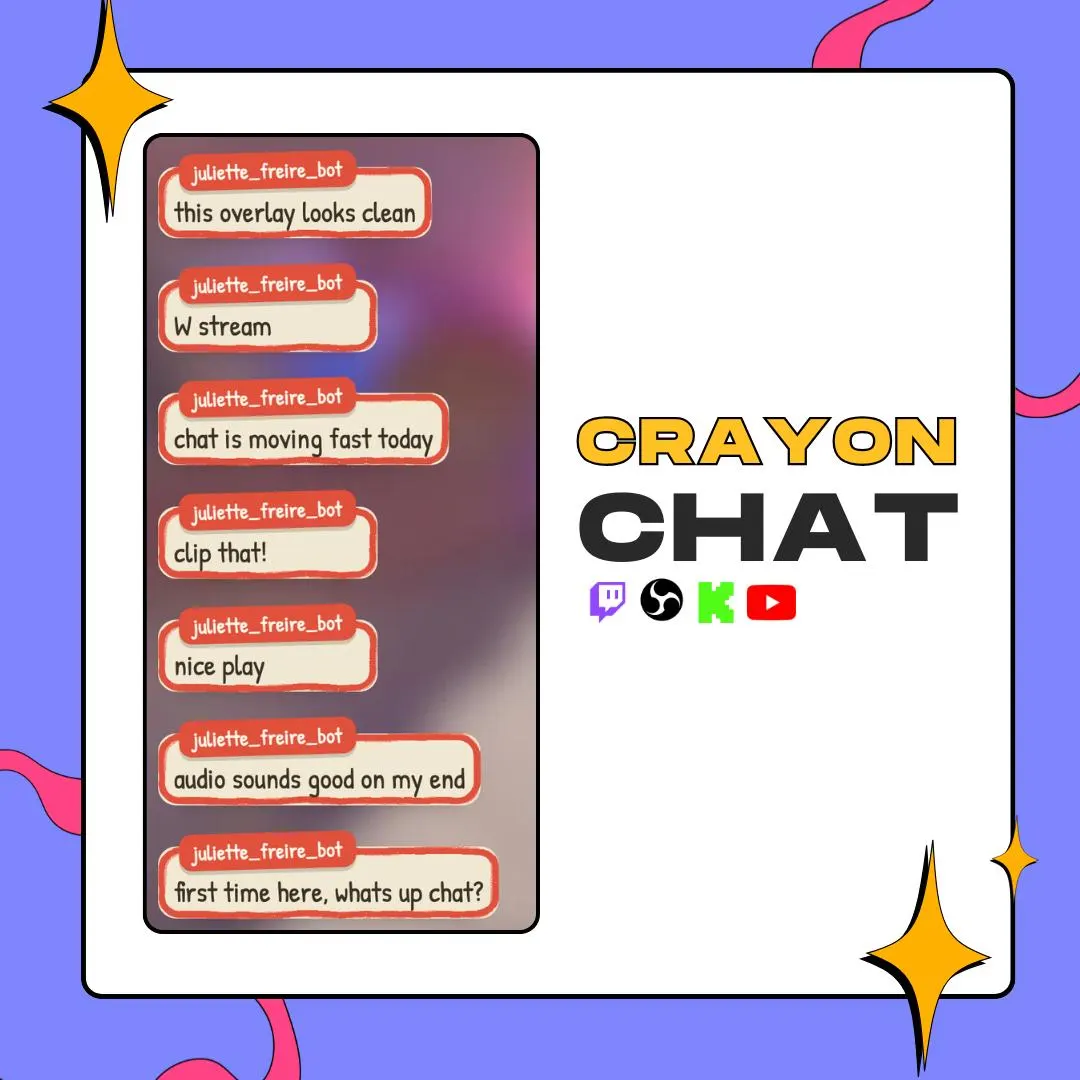
This crayon chat widget draws each message inside a box outlined in grainy crayon, as if your chat lived in a sketchbook. Switch on the boil animation and the lines jitter from frame to frame, the way hand-drawn cartoons do.
$10.00 USD
Instant digital download
the details
Most chat overlays are clean vectors. Crayon Chat goes the other way: every message sits in a box with a rough crayon outline and a little grain, so chat looks drawn rather than rendered. With the boil effect on, the outline redraws itself in small jitters, the way lines shimmer in hand-drawn animation. In the preview the boxes are cream with a red-orange line, which reads like a page torn from a notebook.
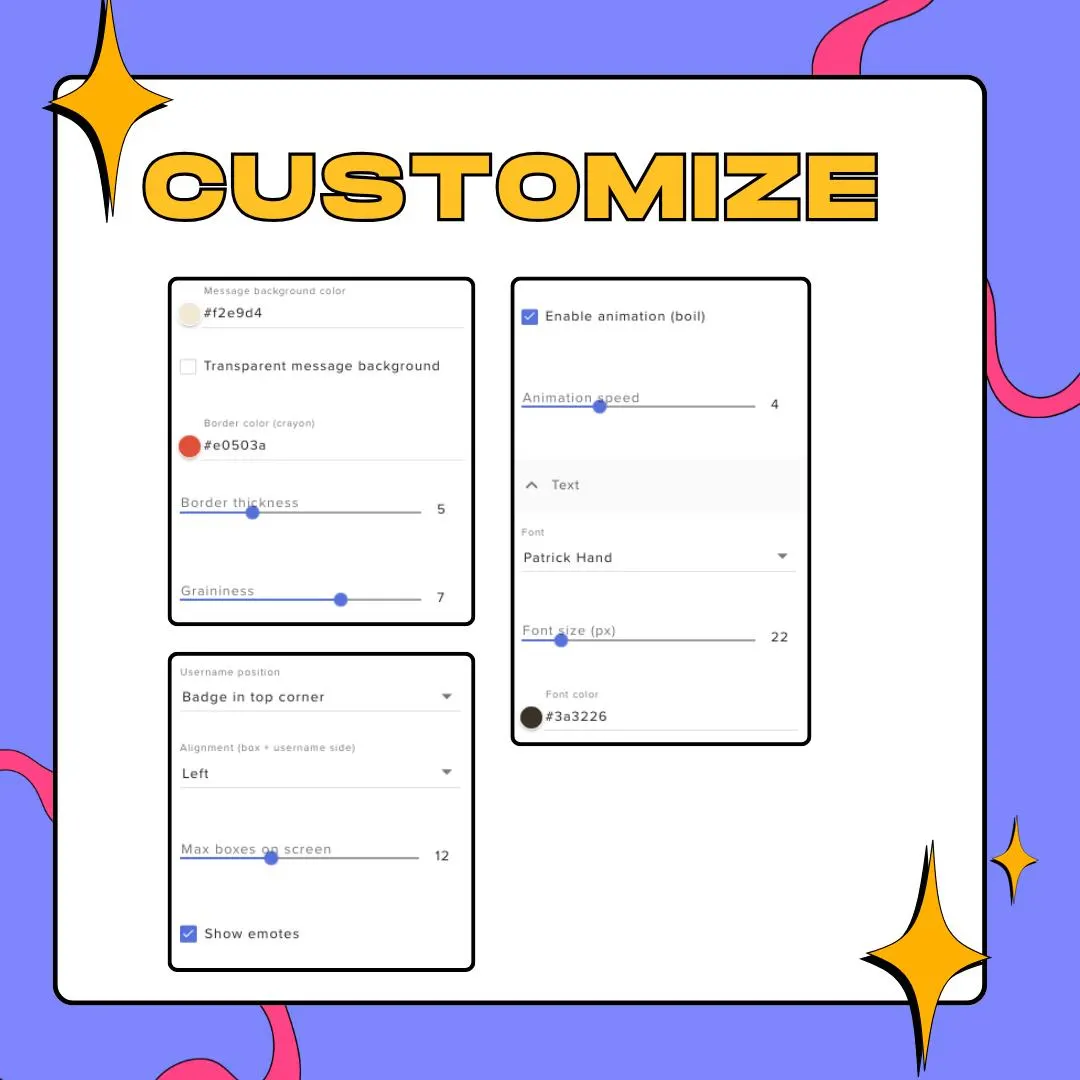
You control the texture. Border color, thickness and graininess each have a setting, and the boil can run fast, run slow or switch off for a still drawing. Font, size and color are yours too (the preview uses Patrick Hand, a handwriting face), and the message background can go transparent so only the crayon line frames the text over your game or camera.
Usernames can sit in a small badge on the top corner of each box, run inline before the message, or disappear. Align the column left or right, cap how many boxes stay on screen, and keep Twitch emotes on or off. The crayon chat widget runs in StreamElements and shows up in OBS as a transparent browser source, a natural match for art streams, cozy layouts and kawaii VTuber scenes.
what you get
Grainy, uneven outlines around each message, with graininess you can push up for chalky edges or pull down for a cleaner line.
Turn on the boil and the outlines jitter like hand-drawn frames; set its speed, or leave the drawing still.
Show the name as a badge on the box's top corner, inline before the text, or hide it altogether.
Switch off the message fill so only the crayon border and the text sit over your gameplay or camera.
Any font, size and color, left or right alignment, and a cap on how many boxes stay on screen.
setup
Download the PDF and the ZIP from your Etsy purchase and read the PDF first.
Add the widget to an overlay in your StreamElements account, following the PDF.
Set the crayon color, thickness, graininess and boil speed, then the font and username style.
Copy the overlay link into an OBS browser source and size it as a tall column at the side of your scene.
questions
Yes. The boil effect is optional: switch it off for a still crayon outline, or keep it on and adjust its speed until it feels right.
Yes. Twitch emotes are supported, and a Show emotes setting lets you turn them off if you'd rather keep chat text-only.
No. The look is set through the widget's settings in StreamElements: colors, thickness, graininess, boil speed, font, username style and alignment.
$10.00 USD on Etsy