Notion widget
1 / 2
Notion widget
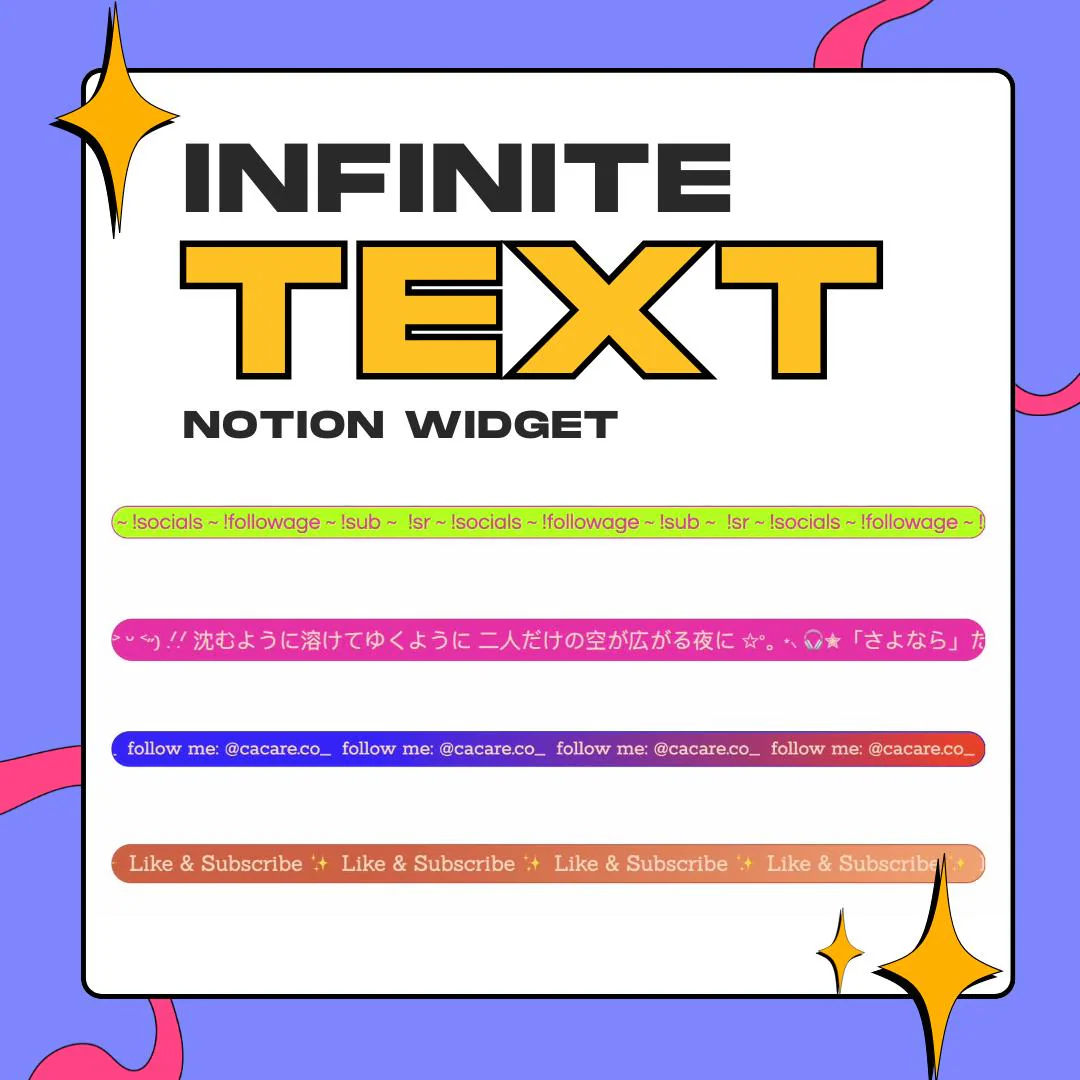
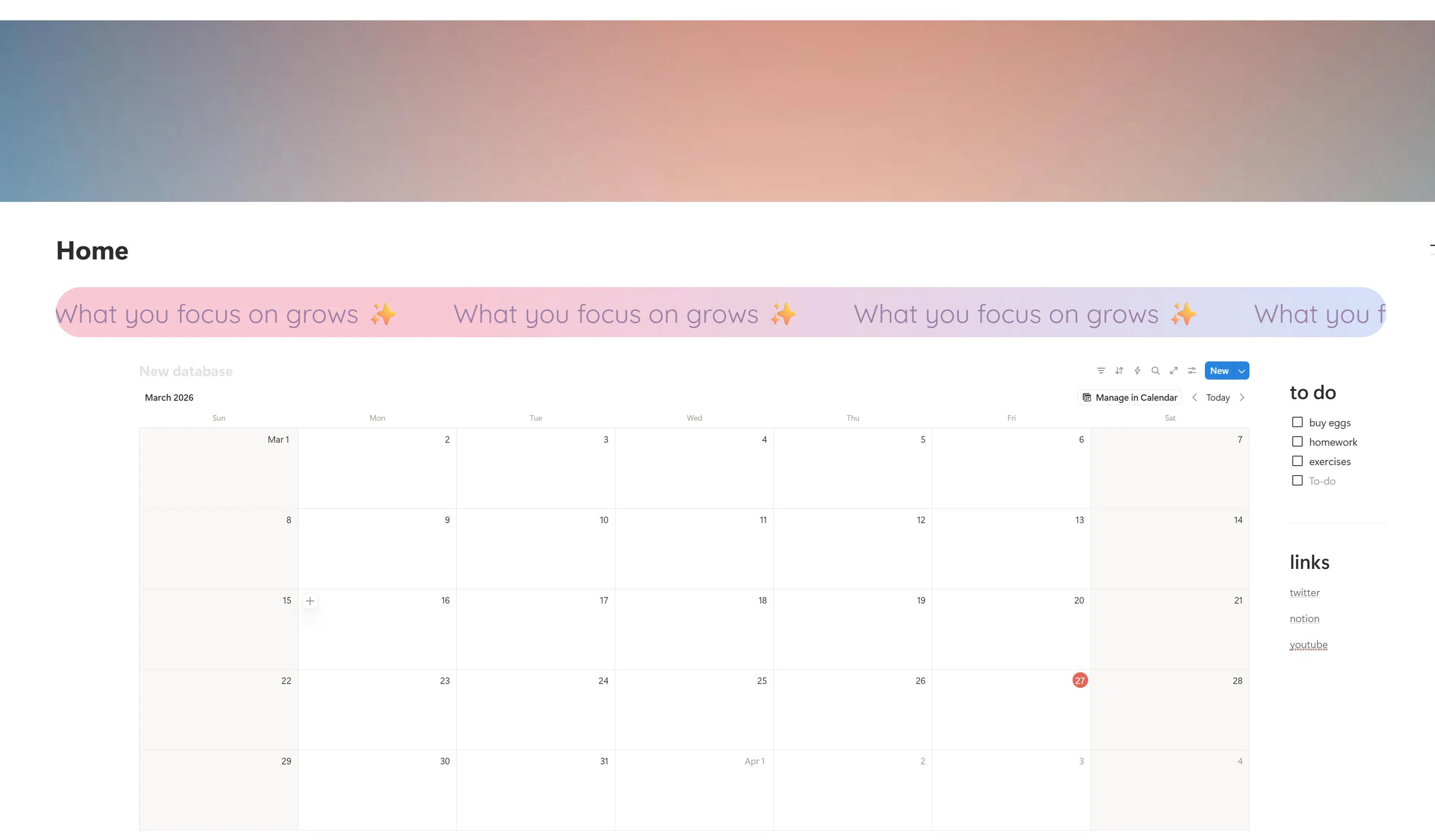
This Notion scrolling text widget adds a looping marquee banner to any page through the /embed block. Write your message, pick text and background colors, a font, a speed and a direction, and your dashboard gets a line that moves.
$5.00 USD
Instant digital download
the details
Inside a Notion page, the widget is a thin band that spans the embed block, with your words looping across it without a gap. It can be a pastel strip repeating a motto like What you focus on grows above a calendar database, a bold bar with your handle at the top of a media kit, or a quiet transparent line under a page cover. The look comes entirely from the colors and the font you choose, so the same widget fits a soft planner and a sharp portfolio.
Media kits, Notion sites, life dashboards and second brain setups tend to be still pages full of text and tables. A notion scrolling text widget gives one of them a single moving line: a tagline across the top of a media kit, a motto over a planner, or a reminder above a task list. It is a small piece of Notion decoration, and it is the kind of detail visitors notice and ask about.
Everything is set in the link, not in code. The URL carries your message, the text color and the background color as hex values, or a transparent background, plus the font, the scroll speed and which way the text travels. Because the widget is hosted, there is nothing to download: paste the link, resize the block, and the banner keeps running on Notion desktop, web and mobile.
what you get
Your text, colors, font, speed and direction live in the URL, so changing the banner means editing one link.
Text and background each take a hex code, and the background can go transparent to show the page behind it.
Let it crawl for a calm planner or race across a launch page, moving leftward or rightward as you choose.
There is nothing to download or install: the widget runs from its hosted link, day and night, wherever you open Notion.
The scroll is a pure CSS animation, so it stays smooth on a phone screen as well as on a desktop monitor.
setup
Open the guide and take your embed link, then set your message, colors, font, speed and direction in it.
In Notion, add an /embed block where the banner should run.
Paste the link into the block and confirm the embed.
Drag the block's corners until the band fits your layout; the text is already moving.
questions
Yes. It works in Notion on desktop, on the web and on mobile, and the scrolling is pure CSS, so it stays smooth on a phone.
No. The widget is already hosted and stays up around the clock. You only paste its link into an /embed block, and there are no files to install.
Yes. Set the background to any hex color, or make it transparent so the moving text sits directly on your page.
Yes. Everything lives in the link, so you edit the message or a color in the URL and embed the updated link in place of the old one.
$5.00 USD on Etsy